About the TubePull YouTube downloader
TubePull is a browser-based YouTube downloader that pulls video and audio directly from YouTube's content delivery network. There is no software to install, no extension to add, and no account required to start. Paste a YouTube link into the box at the top of the page and you will get an MP4 or MP3 file within seconds. The free tier covers three downloads per day at up to 1080p Full HD; the $4.99/month Pro plan unlocks 4K and 1440p (2K) video plus 320 kbps MP3 extraction.
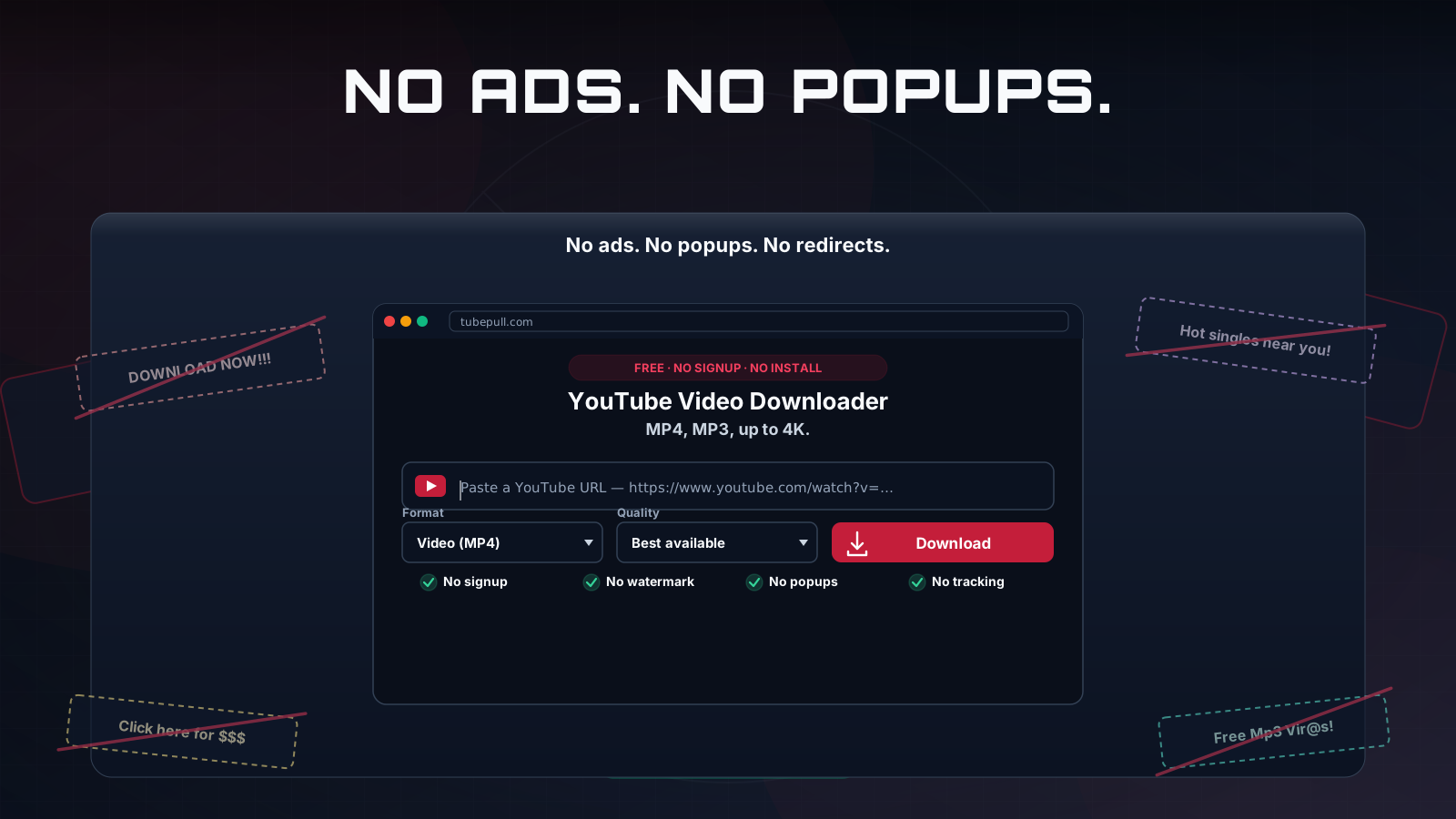
One thing worth saying plainly up front, because it sets us apart from most of the search results for this query: TubePull has zero ads. No banner networks, no pop-unders, no fake "Download" buttons that bounce you to a software bundler, and no "allow notifications" prompts. The $4.99/month subscription — not advertising — funds the hosted servers and the monitoring that keeps download success rates high. That business model is the whole reason the page you are reading now does not look like the ad farms that dominate this category.
How to download a YouTube video — 3 steps
Downloading is deliberately a three-step flow, and you can paste a YouTube link here to start:
- Copy the YouTube URL. Open the video you want and copy the link from your browser's address bar, or use the Share menu and tap Copy Link. Shorts URLs work exactly the same way as full-length video URLs.
- Paste it into TubePull. Drop the URL into the download box. TubePull detects the video automatically and shows the title and thumbnail so you can confirm you have the right one before committing a download slot.
- Choose your format and download. Pick MP4, MP3, GIF, or meme — MP4 for video, MP3 for audio-only, GIF for an animated clip, or Meme to caption a frame — select a resolution if you want something other than the default, and click Download. Short videos are usually ready in under ten seconds.
That is the entire process. There is no step where you are asked to install a "helper," create an account, or watch an ad timer count down.
Download YouTube videos in HD (720p, 1080p Full HD & beyond)
"HD" on YouTube starts at 720p and runs through 1080p Full HD — and TubePull delivers both free, with audio already merged into a single playable MP4. That alone puts us ahead of the large share of online downloaders that quietly hand you a 360p or 480p file when you asked for HD, or a 1080p clip with no sound. If all you want is a clean HD download — a music video, a tutorial, a clip for a slide deck — paste the link, pick MP4, and you are done in seconds.
Where TubePull pulls away is what sits above HD. A competitor can market "HD" all day and still cap at 1080p; we go past it. The free tier tops out at 1080p Full HD, and the $4.99/month Pro plan unlocks real 2K (1440p QHD) and 4K (2160p) — the genuine source master, never an upscaled 1080p re-encode dressed up as 4K. So "HD" with TubePull is the floor, not the ceiling.
Download YouTube videos in 4K, 1440p, and 1080p
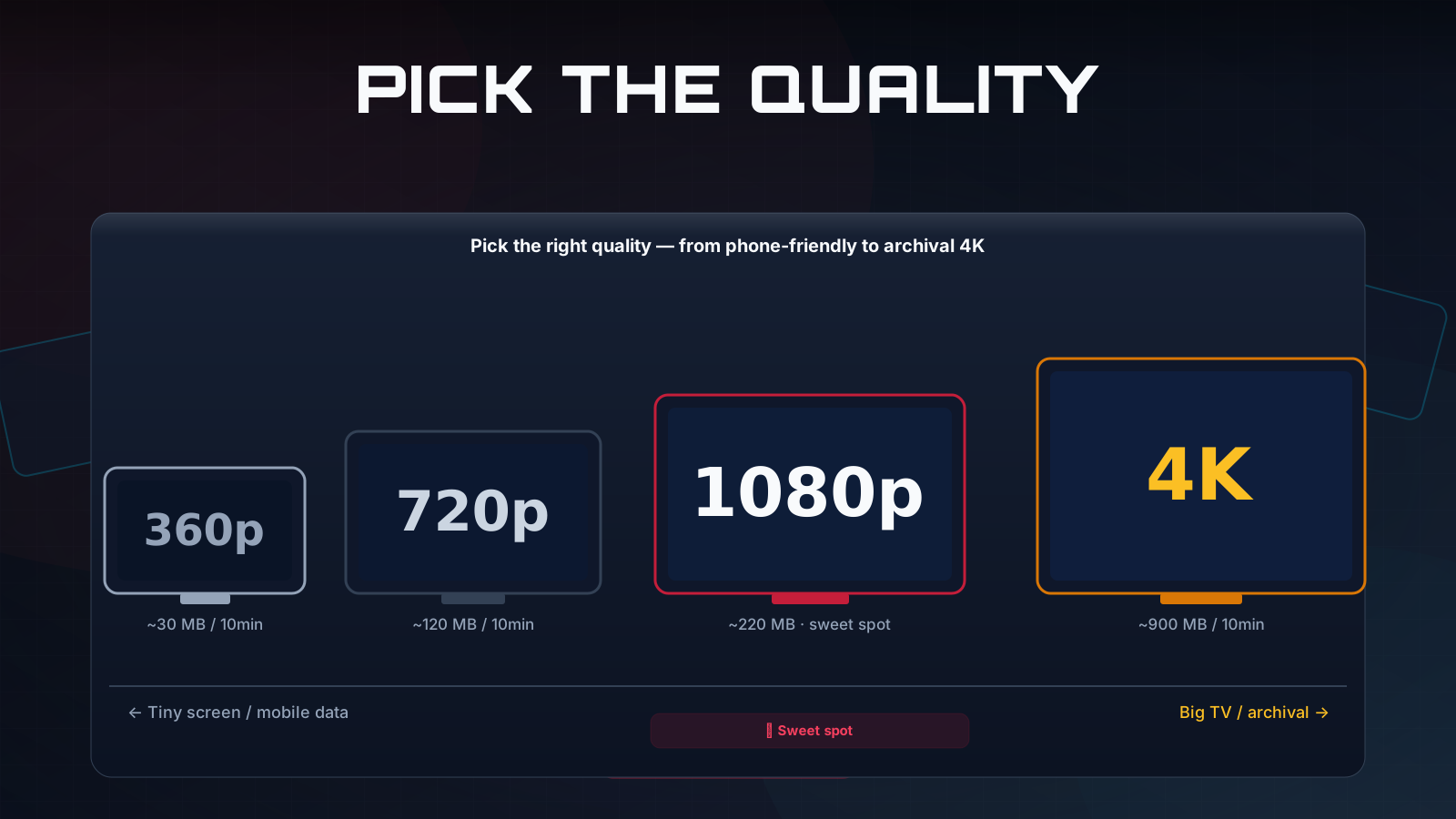
Looking for a YouTube video download in 4K? TubePull pulls real 2160p — the genuine source stream merged with audio into a single MP4, never an upscaled 1080p file relabelled as 4K. Most free YouTube downloaders cap at 720p or quietly add a watermark. TubePull's free tier gives you clean 1080p Full HD MP4 downloads with audio. The Pro plan ($4.99/month) unlocks 4K (2160p) and 1440p (2K) — all from the same URL input, with no account-upgrade prompts interrupting you mid-download.
The reason higher resolutions are worth a dedicated mention is technical. YouTube serves video in fragmented streams, which means that for most quality levels above 360p the video track and the audio track are delivered as separate files. A large number of browser-based "downloaders" only grab the lower-quality combined stream, which is exactly why so many of them top out at 360p or 480p, or hand you a 4K file with no sound. TubePull merges the high-quality video stream with the matching audio stream on our servers before building your download link, so you receive a single, correctly muxed MP4 at the resolution you would have streamed in the YouTube player itself — up to 4K when the source supports it.
A practical note on what "4K" means in this context: it is only available when the original uploader provided a 2160p stream. Most modern uploads from larger channels do; older or smaller-channel videos may max out at 1080p or 720p. TubePull always picks the highest stream the source actually offers rather than upscaling, so you never get a fake-4K file that is really a stretched 1080p. If you are downloading for editing or archival, 4K matters because re-encoding a 1080p source up to 2160p adds file size without adding detail — the bytes are real only when the source frames are. TubePull reads the available formats first and shows you the true ceiling for that specific video.
For resolution-specific guidance, see the dedicated YouTube 4K downloader, YouTube 1440p (2K) downloader, and YouTube 1080p downloader pages.
Convert YouTube to MP3 — 320 kbps audio extraction
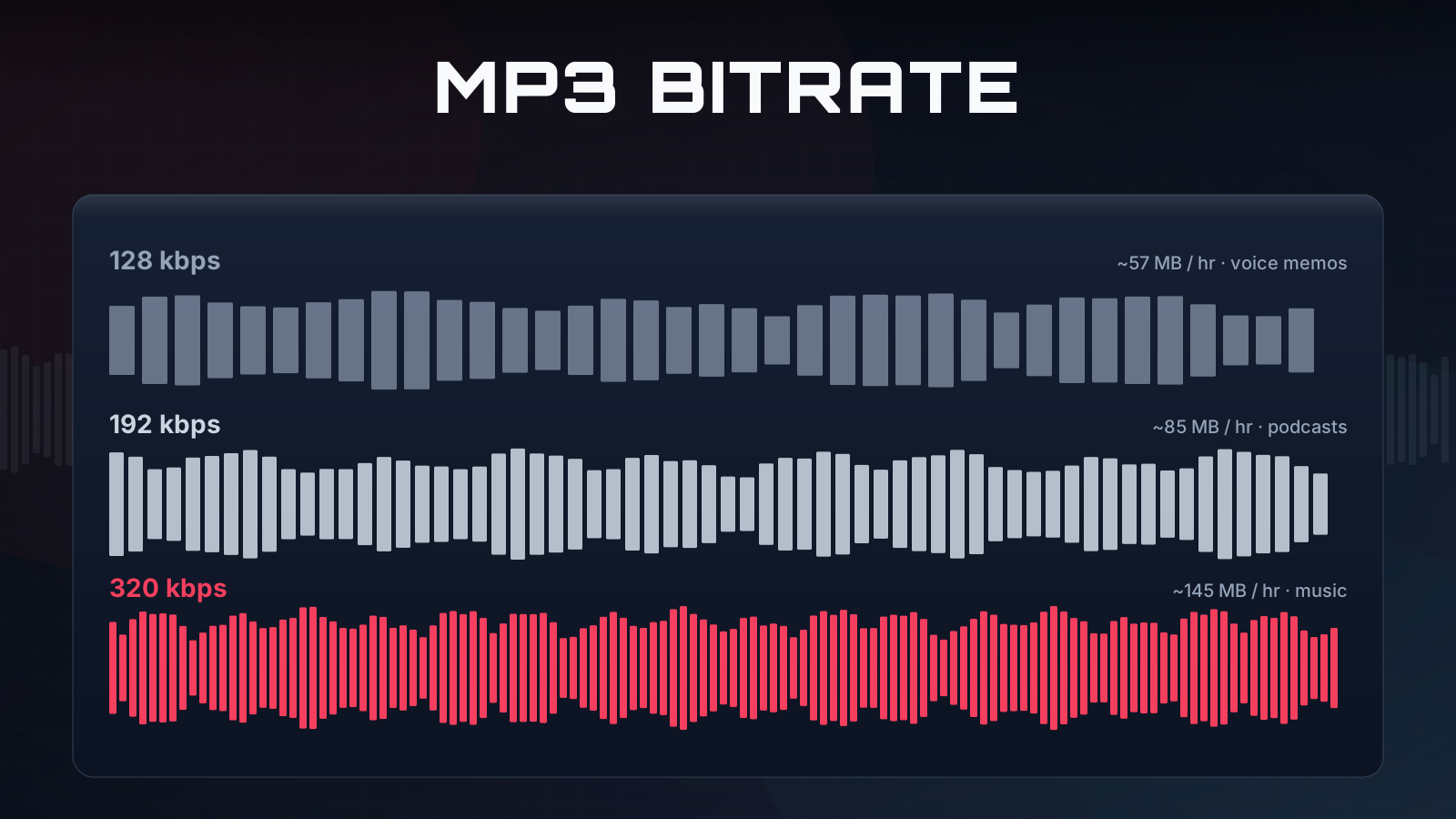
If you only want the audio, choose MP3 in the format selector before downloading. TubePull extracts the highest-bitrate audio stream YouTube provides and re-encodes it as an MP3 with ID3 tags — title, artist, album, and the video thumbnail as cover art — so the file drops cleanly into Apple Music, Spotify's local files, or any standard player. Free downloads come through at a standard bitrate; the Pro plan delivers 320 kbps.
Audio is a big enough use case that it has its own page: if you came here mainly for music, podcasts, or lecture audio, the dedicated YouTube to MP3 converter covers bitrate trade-offs and the audio-specific workflow in more depth. The underlying engine is the same; that page just frames everything around the audio output.
YouTube Shorts downloader — no watermark
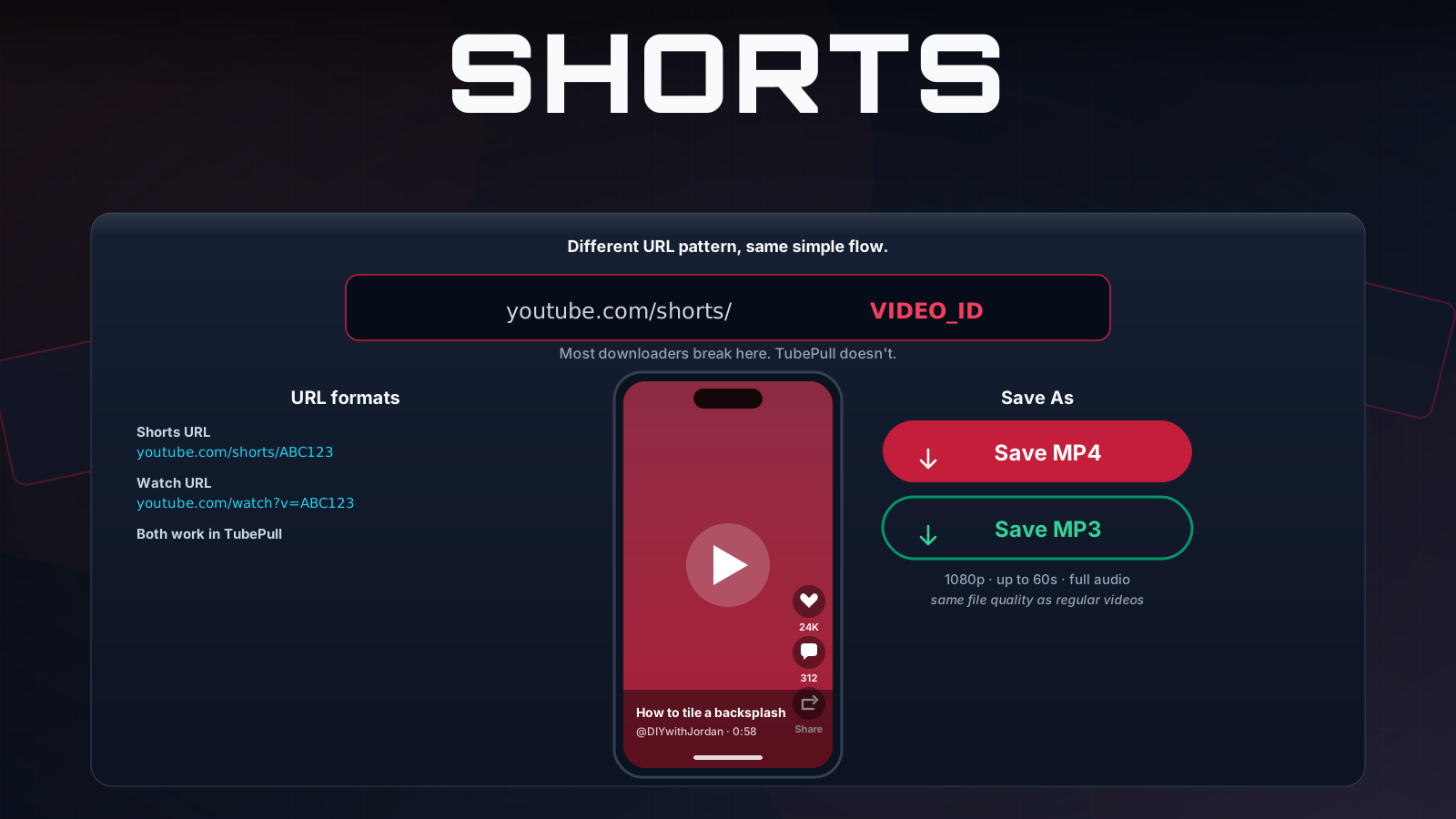
YouTube Shorts download exactly like full-length videos. Paste the Shorts URL into the box, choose MP4, MP3, GIF, or meme, and click download. Because TubePull pulls the source stream rather than screen-recording or re-encoding through a third party, the resulting file carries no TubePull watermark and no overlay — it is the clean source video. This is a genuine differentiator: several competitors advertise Shorts support but deliver re-encoded or watermarked output, and almost none publish quality-specific guidance for it.
More YouTube download features
Beyond format and resolution, a few features are worth calling out because they are the difference between a one-off grab and a tool you can actually rely on.
Download YouTube videos to your phone or computer
Because TubePull runs in the browser, you can download YouTube videos to your phone with nothing to install — no app, no APK, no App Store detour. It works as a mobile YouTube downloader in Safari on iPhone and iPad and as a YouTube downloader for Android in Chrome, and the same site handles your computer too. On Android the finished MP4 lands in your Downloads folder; on iPhone it saves to the Files app, ready to move into Photos or share. Whether you want a YouTube downloader for iPhone, a YouTube downloader for Android, or a desktop grab, it is the same paste-and-download flow on every device.
Download history — every YouTube URL, saved
When you are signed in, TubePull saves the original YouTube URL of every video you download, so you can find it again later without digging through your browser history. From the history page you can re-pull a fresh copy in one click — handy if you deleted the file or want a different format — or jump straight back to the source on YouTube. The files themselves stay on your device; we keep only the link and basic metadata, never the downloaded video. The history page is part of the $4.99/month Pro plan.
Long videos — no length cap on Pro
The free tier covers YouTube videos up to about an hour, which comfortably handles music videos, tutorials, and the vast majority of standard uploads. The Pro plan removes the length cap entirely, so a full podcast episode, a multi-hour livestream recording, or a complete college lecture downloads in a single pass. There is no surprise upgrade prompt partway through a long file — the limit is checked before the download starts, not sprung on you at minute fifty-nine.
Batch downloads — up to five URLs at once
Pro subscribers can queue up to five YouTube URLs at a time and let them download in parallel, instead of pasting one link, waiting for it to finish, and pasting the next. It is the fastest way to pull a handful of videos in one sitting — a few tracks for an offline playlist, a short run of clips for a project, or several talks from the same channel. Paste the URLs, set your format, and the queue works through them on its own.
Subtitles and transcripts
YouTube downloads are not only about video and audio. When a video has captions, TubePull can pull them as SRT or VTT subtitle files, with a language picker that covers manually authored tracks, YouTube's auto-generated captions, and its auto-translated versions. If you would rather have something readable than a subtitle file, you can export the captions as a plain-text transcript — or as Markdown with timestamps so you can skim a long talk and jump to the part you need. Both subtitle and transcript downloads are free and do not count against your daily download limit, which makes TubePull useful for research, note-taking, and accessibility even when you are not saving the video itself.
Make a GIF from a YouTube video
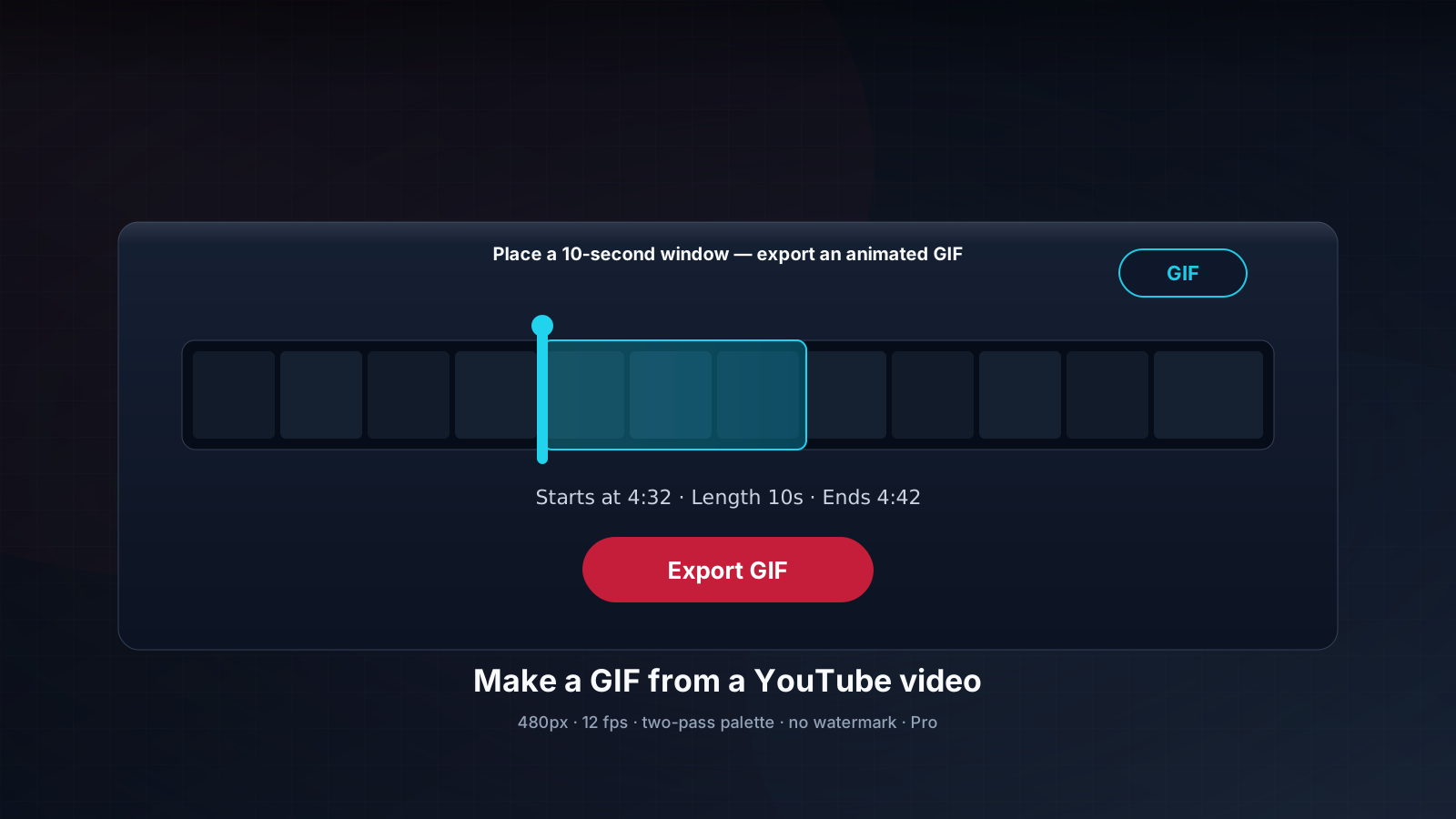
Turn any moment of a YouTube video into a clean, watermark-free animated GIF — right from the same download box you already use. Switch the Format dropdown to GIF, drag the clip window to the moment you want, set the length (1–10 seconds), and download. TubePull runs a two-pass palette encode at up to 360px and 10 fps, so colors stay accurate instead of muddy.
No upload step, no desktop app, no third-party converter. GIF export works on every YouTube video — including Shorts — and is free: it draws from the same three-download-per-day pool as MP4 and MP3, no Pro plan required. For the full walkthrough, see how to make a GIF from a YouTube video.
Make a meme from a YouTube video
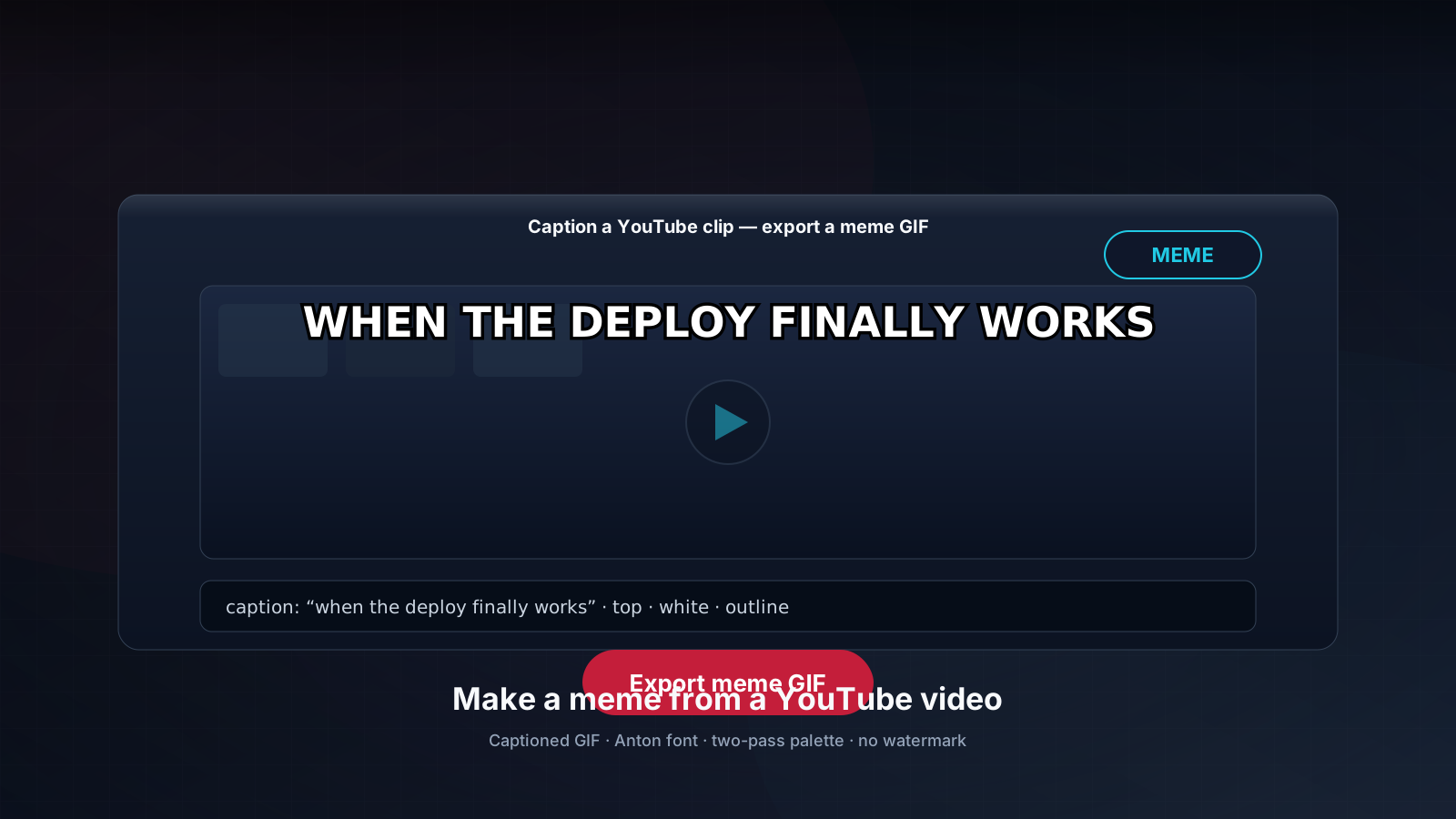
TubePull's meme generator turns a YouTube clip into a shareable meme in seconds — caption a still frame or a short looping clip, pick a font and stroke, and download a ready-to-post image or GIF. Paste the YouTube URL, choose Meme as the format, pick your frame or clip, type your top/bottom text, and export. No watermark, no signup wall, no redirect to another site.
It works on standard videos and Shorts, and because it runs on the same engine as the downloader, you start from the clean source stream — never a re-encoded, watermarked copy. Meme generation is free — a captioned GIF costs the same as a plain one and draws from the same three-per-day shared quota, no Pro plan required. For the full walkthrough, see how to make a meme from a YouTube video.
What works and what does not
Honesty here saves everyone time, so here is the unembellished version.
What works: standard public YouTube videos, YouTube Shorts, and most unlisted videos when you have the link. Both MP4 (up to 4K on Pro) and MP3 audio extraction are supported across all of these.
What does not: TubePull does not support private videos, most age-restricted content that requires a logged-in account (we do not sign in to YouTube on your behalf), playlist or channel batch downloads, active live streams, or upcoming Premieres before they have aired. Live streams must finish and convert to a normal video-on-demand before they can be downloaded. Videos under an active DMCA takedown return an unavailable error.
If you need bulk downloads of your own channel, that is a different workflow — Google Takeout handles the metadata export and TubePull handles individual clips. We would rather tell you that here than have you paste forty URLs and hit a wall.
Why TubePull for YouTube — no ads, no fake buttons, no install
Most online YouTube downloaders bury you in pop-ups, redirect ads, fake download buttons, and bundled extensions. TubePull is built differently — one paste, one click, the clean source file. Here is what that means in practice.
- No install, no extension. TubePull runs entirely in your web browser. There is no app to install, no Chrome extension to add, and nothing to keep updated. If your device has a browser, it works.
- No fake buttons or pop-ups. No misleading "Download" buttons that open junk tabs, no forced redirects, and no "allow notifications" prompts. The button on this page is the only download button you will ever click.
- Real 4K, real HD, no re-encode. Other tools claim 4K but ship a 720p stream re-encoded up to look like more. TubePull pulls the highest-quality master stream YouTube actually offers and muxes it untouched — pixel-for-pixel original, with no tool-applied watermark and no quality downgrade.
- Privacy-first. Files stream straight through to your device and the working copy is deleted the moment your transfer ends. We do not store your videos and we do not sell your data.
- Fast, predictable downloads. Direct fetch with no waiting room and no "analyzing video" spinners. Short clips usually finish in under ten seconds; long 4K videos process at line speed.
- Works on iPhone, Android, Mac, PC, Linux, and Chromebook. Because it is browser-based, the same site downloads YouTube videos on iPhone, iPad, Android, Windows, macOS, Linux, and Chromebooks — no platform-specific app required.
That business model — subscription, not advertising — is the whole reason this page does not look or behave like the ad farms that dominate the category.
TubePull vs. Y2Mate, YTD, and SaveFrom for YouTube
The free YouTube-downloader landscape splits into a few camps, and it is worth understanding where each tool sits before you pick one.
| Tool | Ads / fake buttons | AV / malware flags | Max quality | Daily limit | Install | Funding |
|---|---|---|---|---|---|---|
| TubePull | None | None reported | 4K (paid) / 1080p free | 3 free, then Pro | No | Subscription ($4.99/mo) |
| Y2Mate | Heavy ad layer, fake buttons | Flagged by AV vendors | 1080p typical | Unlimited | No | Advertising |
| SaveFrom.net | Ad layer + "Helper" extension | PUP / adware reports | 1080p typical | Unlimited | Extension pushed | Advertising |
| SSSTik | Limited free tier with ads | — | 1080p typical | 3 max | No | Advertising |
| YTD Downloader | Bundled-software prompts | Bundled-software / PUP prompts | Varies | Varies | Yes (desktop app) | Ads + paid upgrade |
| cobalt.tools | None | None reported | up to source max | Unlimited | No | Donations / open-source |
The pattern is consistent: tools funded purely by advertising tend to carry the fake-button, pop-up, and bundled-software hazards that make this category feel unsafe, while subscription-funded and donation-funded tools do not need to. TubePull and cobalt.tools are the two clean options here — but cobalt.tools is a no-account open-source tool that does not offer a download history, batch downloads, or the higher-resolution paid tiers; SSSTik caps you at three downloads with ads in between. Claims about competitors reflect public reports as of 2026, and vendor behavior can change. For the full breakdown across more tools — including yt-dlp, NoAdsDL (a credible ad-free competitor), ssstik, and ytmp3.cc — see how TubePull compares on the dedicated comparison page.
Use the YouTube downloader from Claude or Perplexity (MCP)
If you spend your day inside an AI assistant, you can download YouTube videos without leaving the conversation. TubePull runs a hosted Model Context Protocol server you can add to Claude or Perplexity (and ChatGPT and Cursor). Once connected, "download this YouTube video as MP3" becomes a literal instruction the assistant can execute — it calls TubePull's tool in the background and hands you a signed download link right in the chat. The download runs on our servers, not your machine, so there is nothing to install on the assistant's side either. The free tier's three-per-day limit applies the same way it does on the web.
This matters most when the video is one step in a larger task. You can ask the assistant to pull a YouTube talk as MP3 for a commute, grab the transcript of a lecture and summarize it, or collect a few clips for a project — all without breaking out of the conversation to visit a separate site, copy a link, and paste it back. Because TubePull exposes its downloader as a standard MCP tool, any assistant that speaks the protocol can drive it the same way, and the signed link it returns works in your browser like any other download.
Why $4.99/month, and what it buys
It is fair to ask why a YouTube downloader costs anything when so many are free. The answer is the same thing that makes them unpleasant: the free ones are paid for by the ads and data-harvesting you experience while using them. TubePull's $4.99/month Pro plan funds the hosted servers and the monitoring that detects and routes around YouTube's frequent player and CDN changes. That infrastructure is the difference between a download that succeeds on the first try and one that fails because of a transient platform-side rate limit. The free tier is genuinely free — three downloads a day, no ads, no signup — and exists so you can confirm the tool works before paying for anything.
Frequently asked questions
The questions below are answered in full in the FAQ section further down the page, including resolution-specific and AI-assistant-specific cases — for example, exactly how 4K downloads are assembled from YouTube's separate video and audio streams, why a download might fail on the first attempt, and how the MCP integration counts against your daily limit.