Skip to content

YouTube to GIF Converter — Free, No Ads

Turn any YouTube moment into a shareable animated GIF. Paste a link, drag the clip slider to the exact seconds you want (up to 10s), add optional meme text, and download — all in your browser. No ads, no signup, no install.

Open the GIF converter

How to convert a YouTube video to a GIF

  1. Paste the YouTube URL. Copy the link to any YouTube video and paste it into the box on TubePull.
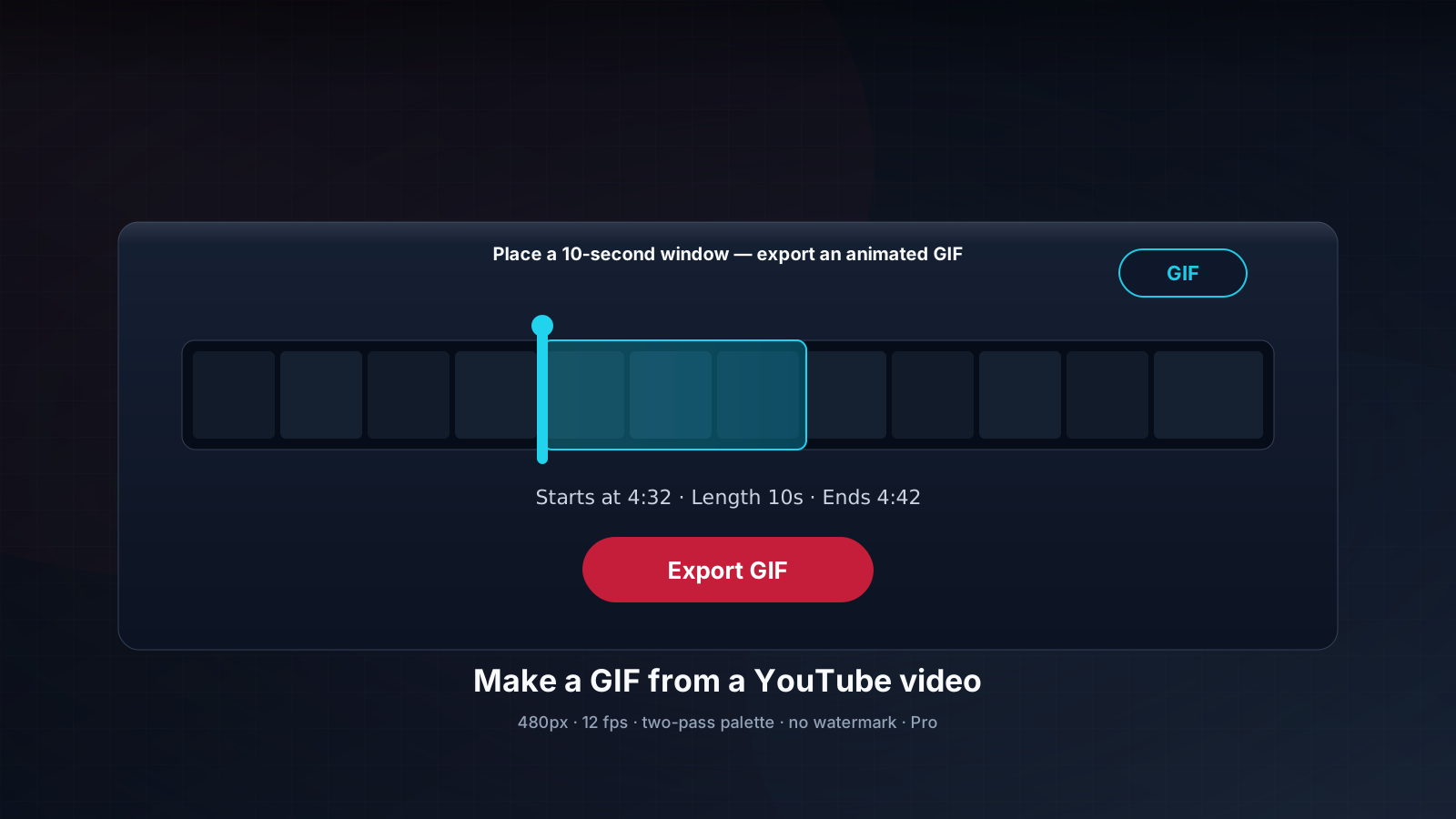
  2. Pick GIF and set the clip range. Choose GIF in the format dropdown, then drag the clip slider to the moment you want — anything up to 10 seconds. Type a caption if you want a classic top/bottom meme.
  3. Download the GIF. Click Download and save the animated GIF to your phone or computer. No install required.

No ads · Free tier includes GIF · No signup · No fake buttons.

What TubePull's YouTube to GIF converter does

Point it at any YouTube video, mark the seconds you want, and TubePull downloads only that window and runs a two-pass palette encode to produce a clean animated GIF. Because it grabs just the clip rather than the whole video, conversion is quick and light. The GIF is silent — the format cannot carry audio — and comes out at up to 480px wide, which is the right size for messaging apps and forums. Unlike most "YouTube to GIF" sites, there are no ad interstitials and no fake download buttons. Free GIFs carry a small TubePull badge in the corner — never a banner stamped across the frame — and Pro exports are watermark-free.

The whole thing runs in your browser. There's nothing to install, no extension, and no account required to make your first GIFs — the free tier includes GIF export just like MP4 and MP3. If you make a lot of them, Pro removes the daily cap.
Add meme text without a second tool

Most people converting YouTube to GIF are making a reaction or a meme. TubePull has that built in: type a caption before you download and it's burned into the GIF as a classic top/bottom meme overlay, so you don't need to bounce the file through a separate meme generator. A captioned GIF costs exactly the same as a plain one and counts the same against your daily quota — the caption just changes what the encoder draws. Leave the caption blank and you get a clean, text-free GIF. If captioning is the main thing you're after — including from platforms beyond YouTube — the dedicated meme generator opens with the caption editor already expanded.

Free tier, Pro, and the daily limit

GIF is gated exactly like every other format on TubePull — there's no separate GIF counter. Here's how the tiers break down:

  • Free / no account — three downloads per 24 hours, shared across every format. A GIF, an MP4, and an MP3 all draw from the same three-per-day pool. Enough for casual meme-making.
  • Pro ($4.99/month) — no daily cap, so make as many GIFs as you like, watermark-free, plus batch URL support and download history. This is the tier for anyone building a GIF library or making them regularly.

Either way there are no ads and no upsell popups in the middle of a conversion.

GIF vs. MP4 — which should you pick?

Reach for a GIF when you want a short, silent, auto-looping clip that plays inline the moment it loads — reaction shots, a two-second bit from a stream, anything you're dropping into a chat or a forum post. Reach for MP4 (the YouTube video downloader) when you need audio, a longer clip, higher resolution, or a smaller file for the same length — modern video codecs compress far better than GIF. A rough rule: if it's under 10 seconds, silent, and headed for a chat thread, GIF wins; otherwise pick MP4. If you only want the audio, use the YouTube to MP3 converter instead.

TubePull also handles the full YouTube video downloader experience — MP4 up to 4K, MP3 audio, subtitles and thumbnails — so one tool covers whatever you need from a YouTube link, not just GIFs.

Frequently asked questions

How long can a YouTube to GIF clip be?
Up to 10 seconds. GIF is a frame-by-frame format with no real compression between frames, so a longer clip balloons in file size fast — a 10-second cap keeps the output small enough to share anywhere. Pick your start and end points on the clip slider and TubePull cuts exactly that window.
Do I need Pro to make a GIF?
No. GIF export is available on the free tier. Free and anonymous conversions count against the same shared quota as every other format — three downloads per 24 hours — with no separate GIF-only limit. Free GIFs carry a small TubePull badge in the corner; Pro ($4.99/month) exports them watermark-free, removes the daily cap so you can make as many GIFs as you want, and also unlocks batch URLs and download history.
What quality and size are the GIFs?
TubePull downscales the output to 480px wide (aspect ratio preserved) at 10 fps using a two-pass palette encode, which keeps colours clean without a huge file. That's the sweet spot for GIFs posted to Slack, Discord, Reddit, or a chat thread. Files over 25 MB are rejected with a friendly error rather than served — if you hit that, shorten the clip.
Does the GIF have sound?
No — the GIF format cannot store audio, so every GIF is silent by design. If you want the moment with its audio, choose MP4 (video) instead of GIF in the format dropdown.
Can I add caption or meme text to the GIF?
Yes. Type a caption before you download and TubePull burns it into the GIF as a classic top/bottom meme overlay. It costs nothing extra and counts the same as a plain GIF against your daily quota — a caption just changes what the encoder draws, not what you're charged.
Can I convert a YouTube video to GIF on my phone?
Yes. TubePull is a web app, so it works in Safari on iPhone and iPad and in Chrome on Android — no app or extension to install. Paste the link, set the clip window, pick GIF, and the file saves to your device.
Is it legal to turn a YouTube video into a GIF?
Only convert content you have the right to use — your own uploads, public-domain or Creative Commons video, or clips you have permission to reuse. Short GIFs are often used under fair-use commentary, but fair use is a defence, not a blanket permission. Always review YouTube's Terms of Service and your local copyright law first. See our guide on whether it is legal to download YouTube videos for the full picture.